

Junction Underground Radio Player
by Streetwise Software Online · SWSO
FREE for Mac & Windows
Independent radio on your desktop. Play Junction Underground Radio — 900+ songs from DJ RefuzionX and underground artists — with genre channels, a big gold spectrum visualizer and crossfading like a real station. Hear a song you love? Buy it for $1.29 and it saves straight to your computer.
Your radio, front and center
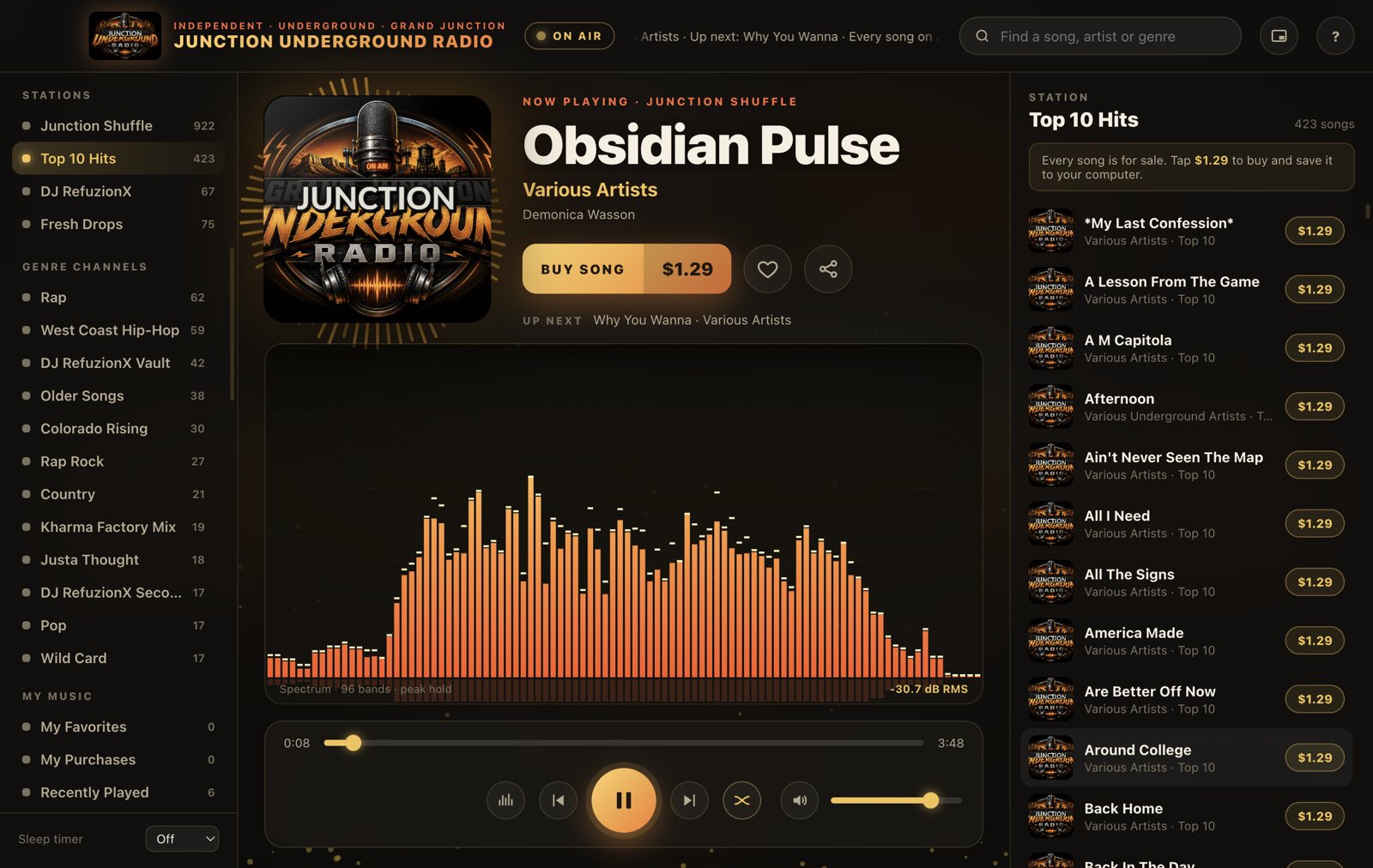
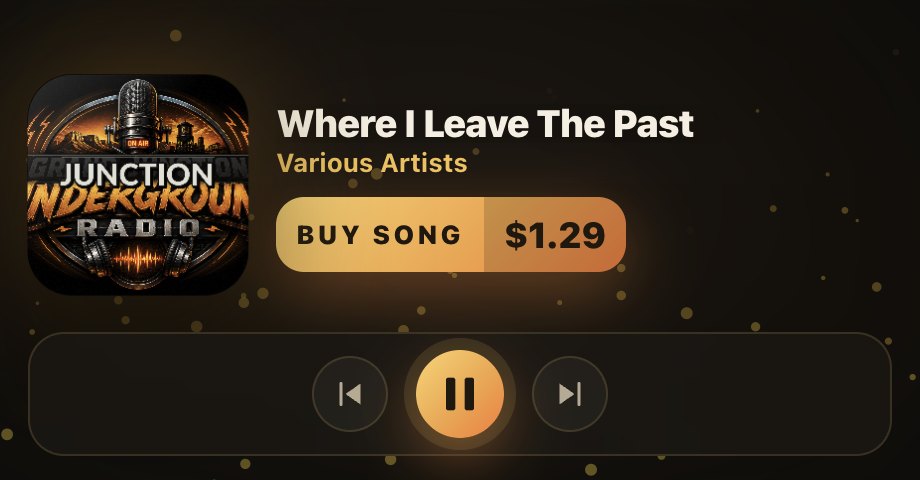
Connected to the station, always up to date
The player plays www.junction-underground-radio.com. It reads the station’s song list straight from the website instead of keeping its own copy, so when music is added or changed on the site, it shows up in the player the same day — when you open the app, and on its own every 30 minutes while it’s running. New songs, covers, genres and live shows arrive without an app update. Songs you buy in the player use the same $1.29 checkout as the website.
What it does
Stations for every mood
- Junction Shuffle plays the whole station
- Top 10 Hits, DJ RefuzionX and Fresh Drops
- 30+ genre channels: Rap, West Coast Hip-Hop, Rap Rock, Country, Colorado Rising and more
- Search any song, artist or genre
Looks and sounds like a real station
- Three visualizers: a 96-band gold spectrum with peak hold, an oscilloscope and a mirror fire spectrum
- A glowing ring of light around the cover art and embers that rise with the bass
- Five-second crossfade between songs (switch it off any time)
- Goes live automatically when the station broadcasts a live show
Every song for sale
- BUY SONG $1.29 on the song that is playing, and a $1.29 button on every song in the list
- Pay on Stripe’s secure checkout page — the app never sees your card
- Your song downloads to Music › Junction Underground Radio and shows OWNED
- My Purchases lists everything you bought
Made for all day
- Mini player that stays on top
- Sleep timer: 15, 30, 60 or 90 minutes, then the music fades out
- Favorites and Recently Played
- Keyboard shortcuts and your Mac or PC’s media keys
Free player. Songs $1.29.
$0 for the player, on Mac and Windows. No trial, no license key, no account.
Each song you choose to keep is $1.29, paid through Junction Underground Radio’s secure Stripe checkout. The money supports independent artists.
For artists, DJs and radio stations
Your Own Radio Station — from just $2,000
Junction Underground Radio is a real, working station built by Streetwise Software Online. Now you can have one too: a radio station website with a full admin panel, and a desktop player for Mac and Windows, with the graphics customized for your artist name or your radio station name. It’s turnkey: once you have your .com and hosting, you’re ready to start earning.
18-day turnaround for your custom station and players.
Turnkey: get your own .com and web hosting, and you can start making money with your station.
100% yours: what you host is all yours — your music, your fans and your money. No royalties to us and no hidden costs.
No streaming platform needed: when you have your own station, you keep 100% of every sale on your own domain — no platform cut (only your card processor’s normal fees).
Need more? Bigger builds and other options go up to $4,500, including custom desktop software for macOS and Windows. Linux support coming soon!
Artist Sponsorship Program
Get the deluxe build, software included, for almost half price
Our artist sponsorship program can reduce the deluxe build — including the custom Mac & Windows software — to almost half price. Ask us through our contact form and tell us about the artist, band or station: your music, your fans and what you want to build. Questions or comments? Let’s talk!
How the pieces work together
Listeners press play: genre stations, playlist, EQ, likes, shares, chat and message board, on phones and computers.
A Mac & Windows app with your name on it that plays your station and sells your songs, so fans keep you playing all day.
One password-protected panel runs both: add songs, approve artists, run ads, go live, change the look — no coding.
Song sales, ads and submissions are paid to your own Stripe links, and every play and sale shows up in your stats.
One station, every player — updated the same day
Your station lives at your own web address. Ours is www.junction-underground-radio.com. The desktop player doesn’t keep its own copy of the music: it reads the song list straight from your station website.
Update the music on your site and it updates in the players the same day. Add a song, change a cover, move a song to another genre or switch on a live show in the admin, and every listener’s player picks it up — when they open the app, and on its own every 30 minutes while it’s running. No app update to install.
- You add music in the admin panel
- Your website plays it right away
- Every desktop player gets it the same day
- Fans buy it for $1.29 from either one
Built-in help to run your station
You’re never on your own. The admin panel has its own Help page: a searchable manual that explains every tool in plain words — getting started, safe backups, uploading audio, genre folders, the track catalog, the playlist, mobile settings, ads, paid downloads and Stripe. Type what you’re looking for and the answer comes up, right next to the page you’re working on.
Analytics panel: see who’s listening
The admin panel has its own private Analytics page: page views, unique visitors, sessions, time on the page, where your listeners come from, and every song play, like and download, with CSV export and a printable report. No outside ad trackers needed. A Desktop App Stats page shows the desktop players too: how many copies are in use on Mac and Windows, plays per day, your top songs, Buy button presses and paid song orders.
A song's journey
- Upload it with Add Track or a whole album with Batch Add Tracks; artwork comes from the MP3.
- Genre Control puts it on the right genre station; Manage Tracks lets you feature it at the top.
- It plays on your station website and in the free desktop player, with a Buy button on every song.
- A fan pays through your Stripe link; Paid Downloads gives them a secure download link straight away.
- Every play, like, buy and download is counted in Analytics.
An ad's journey
- A business finds your Radio Advertising Sales page and pays for a package with your Stripe link.
- You upload their banner with Add Banner Ad or their commercial with Add Audio Ad.
- Ad Manager rotates every ad; Station Settings decides how often (for example one station break every 2 songs).
- Banners show while the music plays; audio ads play between songs with the sponsor's image in the player.
An artist's journey
- An artist pays to submit through your Submission Paygate, or uses a private code from Artist Upload Codes.
- Their song lands in Artist Submissions where you listen before deciding.
- Approve it and it goes into the right genre folder, the catalog and your Artist Roster automatically.
- Their song now plays (and sells) on your station like the rest of your music.
Your look, your brand
- Station Settings: your station or artist name, tagline, background, logo and colors.
- Color Themes: six full color systems in one click. Welcome Popup: the first screen fans see.
- Navigation Links, Mobile Settings and Radio Accordion Controls: how the menus and player panels look on computers and phones.
- Share Settings: the share panel and QR code so fans can spread the word.
Income on top of your song sales
Every song carries a buy button. Fans pay through Stripe and get a secure download right away — on the website and in the desktop player.
Sell rotating banner spots to local businesses and sponsors: top of the page, under the player, or the footer.
Sell station-break commercials that play between songs, with the sponsor’s image showing in the player.
Other artists can pay to submit their songs for review and rotation through the built-in submission paygate.
The station your listeners see
Listen to Junction Underground Radio live →
Every page of the admin panel
Real screenshots of the Junction Underground Radio admin (35 pages; private codes and email addresses blurred). Tap any one to see it full size.
What every admin page does
Open a group to see each page, what it does and which pages it works with.
Run the station 3 pages
Dashboard
Your home base. It counts your songs, active songs, featured songs, genres, waiting artist submissions and running ads, and has one-click buttons for the jobs you do most.
Works with: Every other page; the counts update as you work.
Station Settings
Your station name, artist name, tagline and welcome message, the background picture and default cover, your accent colors, how often ads play (for example one ad every 2 songs) and how long banners show, plus one Stripe buy link that can cover every song.
Works with: Color Themes, Ad Manager, Manage Tracks.
Live Broadcast Mode
Go live. Connect an Icecast, Shoutcast or other stream, test it privately, then switch it on. Listeners hear your live show; if the live feed drops, they go back to your playlist on their own. Only the public listening address is stored, never your stream passwords.
Works with: The website player and the desktop player both show LIVE when it is on.
Your music 4 pages
Manage Tracks
The whole catalog on one page. For each song you see the artist, genre, whether its audio file is found, and whether sharing, downloads and promo codes are allowed. Edit it, feature it at the top, hide it, show it again or delete it.
Works with: Add Track, Batch Add, Genres, Paid Downloads, Promo Codes.
Add Track
Add one song: title, artist, album, genre and channel, the audio file and cover art, its own buy link or stream link (Spotify, SoundCloud and so on), private notes, and switches for active, featured, share, public download, promo and the global Stripe link.
Works with: Genres decides which station it plays on; Manage Tracks edits it later.
Batch Add Tracks
Upload a whole album or folder of songs in one go. Titles are made from the file names (you-will-always-be-my-girl.mp3 becomes You Will Always Be My Girl) and each MP3's own cover art is used automatically.
Works with: Manage Tracks to tidy titles; Repair MP3 Covers for missing artwork.
Genre Control
Your genre stations (Top 10, Classic Rock, Country, Neon Beats and so on): turn them on or off, set the order, name, folder and the description listeners see. Each genre becomes a one-tap station on your front page.
Works with: Add Track, Import / Repair Audio, the genre buttons in both players.
Artists 3 pages
Artist Submissions
Songs other artists send you wait here. Preview the audio, then approve or reject. Approved songs are copied into the right genre folder, added to the catalog and the artist is added to your roster automatically.
Works with: Submission Paygate (they pay to submit), Artist Upload Codes, Genres, Artist Roster.
Artist Roster
The public artist cards on your station: name, role, photo, link (Spotify, Facebook, website) and bio. Turn each one on or off.
Works with: Artist Submissions adds artists here for you.
Artist Upload Codes
Up to three private codes for the artist upload dropbox. Give a code to an artist you trust; change it any time to cut off old access. Uploads without an active code are refused by the server.
Works with: Artist Submissions.
Make money 8 pages
Submission Paygate
Sell song submissions to other artists: package names, prices and Stripe or PayPal links, your public notice and terms (for example a refund if a song is not accepted).
Works with: Artist Upload Codes, Artist Submissions.
Radio Advertising Sales
Your public advertising page: banner, audio commercial and combo packages, each with its own name, price, description, features and Stripe link, plus your terms.
Works with: Ad Manager, Add Banner Ad, Add Audio Ad.
Software Licensing Sales
A public page that sells licensed copies of the radio station system itself, with your package tiers and ownership language.
Works with: Copyright & Ownership.
Ad Manager
Every banner and audio ad in one list: sponsor, placement, rotation weight, active or hidden, desktop and mobile. Edit or remove any ad.
Works with: Add Banner Ad, Add Audio Ad, Station Settings (how often ads play).
Add Banner Ad
Upload a sponsor's banner with a click-through link. Choose where it shows (top, under the player, footer), on desktop and/or phones, and how often it comes up. Banners rotate while the music keeps playing.
Works with: Ad Manager, Radio Advertising Sales.
Add Audio Station-Break Ad
Upload a sponsor's audio commercial (MP3) with a companion image and link. It plays between songs like a real radio station break.
Works with: Ad Manager, Station Settings (play an ad every N songs).
Promo Codes
Make up to 200 codes at a time for free promo downloads, for one song or any promo song, with an optional expiry date and campaign notes. Export them to CSV and clean up used or expired codes.
Works with: Manage Tracks (promo eligible), the public Promo Downloads page.
Paid Downloads
After a fan buys a song, this creates their secure download link (limited downloads, expires after a few days). You can also make a link by hand for a customer and set the wording of the download page.
Works with: Stripe payment, Manage Tracks, Analytics.
Your look 6 pages
Navigation Links
Ten editable buttons in your station's menu (Promo Downloads, Contact, Artist Submission, Radio Advertising and anything else you want), each can open in a new tab or be hidden.
Works with: Mobile Settings controls the phone menu separately.
Welcome Popup
The first screen visitors see: your logo, title, message and the Enter Radio Station button. Show it once per visit or every time, or switch it off instantly.
Works with: Station Settings, Color Themes.
Mobile Settings
Your iPhone and iPad layout: the phone header, an editable phone menu (order, names, links), and secure admin access from your phone so you can run the station from anywhere.
Works with: Navigation Links (desktop menu), Radio Accordion Controls.
Radio Accordion Controls
Which player panels start open for every visitor (Genre Stations, Radio Playlist, the EQ) and the default EQ preset.
Works with: Genres, Station Settings.
Color Themes
Six complete color systems (Black Gold Red, Neon Cyan, Purple Voltage, Steel Blue, Crimson Night, Emerald Signal) applied to the station, phone layout, chat, message board and video page in one click. Your music and content do not change.
Works with: Station Settings (your own accent colors).
Share Settings
The Share This Station panel: share title and text, share logo and a QR code people can scan from a desktop to their phone.
Works with: Welcome Popup, Station Settings.
Talk to your fans 4 pages
Contact Page
Your public contact page and form: title, intro text, contact email and phone, address, and the message people see after sending. Messages are saved privately and can also be emailed to you.
Works with: Internal Mail.
Internal Mail
Every message sent from your website forms is stored here first, with New, Active and Archived folders, and optional email copies to you.
Works with: Contact Page, Submission Paygate, Radio Advertising Sales.
Message Board / Chat
Turn your message board and chat room on or off, allow pictures and music in chat, set the community notice, and see the latest posts to moderate them.
Works with: Navigation Links, Mobile Settings.
Video Player
A big-screen video page for your videos (MP4 or MOV) with titles and thumbnails; show or hide each one.
Works with: Navigation Links.
Keep it healthy 7 pages
Import / Repair Audio
Scans your music folders and shows files that are not in the catalog yet, ready to import with one click (sub-folders can become genres). Cleanup buttons remove missing records, repair paths, merge duplicates and clear old logs.
Works with: Manage Tracks, Genres, Catalog Import / Export.
Catalog Import / Export
Save your whole catalog (songs, genres, artists, buy links and settings) to a file, and load it back or into a new copy of the station. Import has a check-only preview mode first.
Works with: Your backup before big changes.
Repair MP3 Covers
Pulls the artwork that is built into your MP3 files and saves it as real cover images, so every song in the player shows its own cover. Custom covers you uploaded are kept.
Works with: Batch Add Tracks, Import / Repair Audio.
Admin Health Check
A one-page check that the server can read and write every folder and data file the station needs, with the last error shown if something ever goes wrong.
Works with: Help; your web host.
Copyright & Ownership
A locked record of who owns the software and the build, shown in every station and not editable from the admin.
Works with: Software Licensing Sales.
Analytics
Private, first-party stats with no outside ad trackers: page views, visitors, sessions, where listeners come from, song plays, likes and downloads, with CSV export and a printable report.
Works with: Every page; plays from the desktop player show up here too.
Help
A searchable manual inside the admin that explains every tool, from uploading audio to Stripe and mobile settings.
Works with: Every page.
- Built-in help: a searchable Help page inside the admin explains how to run every part of the station.
- Always in sync: the player reads your song list from your station website, so new music on the site is in every player the same day.
- Plays everywhere: desktop, laptop, iPhone, iPad and Android browsers, plus the Mac & Windows desktop player.
- Your money, your account: song sales, ads and submissions are paid through your own Stripe links.
- Live shows: connect Icecast or Shoutcast for a live broadcast; if the live feed drops, listeners go back to your playlist.
- Analytics panel: private first-party stats for visitors, sources, plays, likes and downloads, plus Desktop App Stats for the Mac & Windows players. No outside ad trackers needed.
- Fast: an 18-day turnaround for your custom station and players.
- Turnkey: once you have your own .com and web hosting, your station is ready to start making money.
- 100% yours: what you host is all yours. No royalties to us and no hidden costs.
- Your own platform: no need for a streaming platform — keep 100% of your sales on your own domain (only normal card processing fees).
- Yours for good: the basic version is a one-time purchase, licensed to you forever, from $2,000.
- Bigger builds: larger stations and other options up to $4,500, with custom software for macOS and Windows. Linux support coming soon.
- Artist sponsorship: our sponsorship program can bring the deluxe build, software included, to almost half price. Ask us through the contact form.
Talk to us about your station
Tell us about the artist, band or station, your music and what you want your station to do — and ask about our artist sponsorship program. Questions or comments? Let’s talk! We’ll get back to you by email, usually within one business day.
Basic version from $2,000
18-day turnaround · turnkey · one-time purchase · licensed to you forever
100% yours · no royalties · no hidden costs
You bring your own .com and web hosting
Bigger builds with custom Mac & Windows software up to $4,500 · Linux coming soon
Opens our contact form. Tell us about the artist, band or station, your music and which options you want.
Made for solo artists and bands
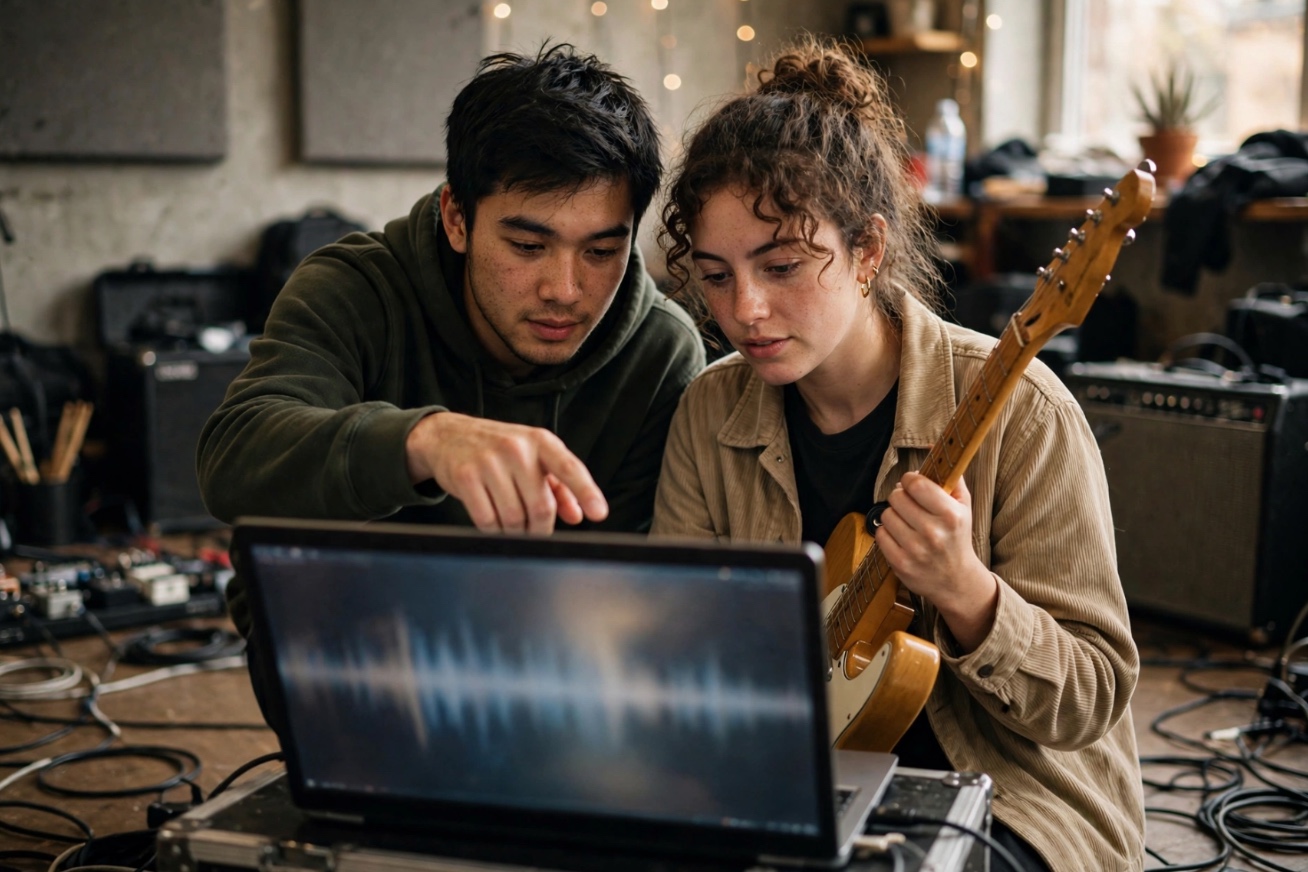
No need for a streaming platform when you have your own. With your own station, your music plays on your own website and in your own desktop player, and you keep 100% of every song sale on your own domain — no platform cut, only your card processor’s normal fees.





See artist stations from $2,000
Every station includes a private Analytics panel in the admin (visitors, sources, song plays, likes and downloads) and Desktop App Stats for plays and purchases from the Mac & Windows players.
System requirements
Having a problem? Tell us and we’ll fix it.
Every computer is a little different: the macOS or Windows version, the hardware and how it’s set up can all change how an app behaves. We understand that, and we fix issues as they come in. If something doesn’t work the way it should, please don’t stay silent. Use our contact form and tell us the app, its version, your computer and system version, and what happened. Your report helps us fix it fast, for you and for everyone who uses our software.